- higher sales price
- more bids
- higher success (sell-through) rate
 | Shop by category |
{"delay":300}
|
 | ||||||||||||
| ||||||||||||
|
|
Learn more about:
Tell Them More!
On average, listings using Subtitle compared to listings
with no Upgrades have:
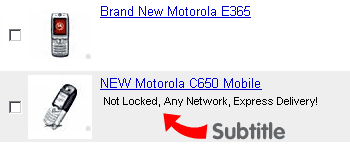
What does Subtitle look like?
What is Subtitle?
A subtitle on your listing lets you provide additional
information about the item that may catch a buyer's eye. Buyers typically
view a list of item search results or browse categories to find what they
are looking for. A good subtitle can differentiate your item from similar
items listed by other sellers, and can increase a potential buyer's
interest. How much is Subtitle?
How do I add Subtitle?
Add Subtitle by typing additional information under
"Subtitle" on page 2 (Title & Description) of the Sell Your Item form,
or by typing additional information under "Subtitle" in Step 2 (Enter New
Item) in Turbo Lister. Tip! Use the Subtitle feature to:
Who uses Subtitle?
The most frequent use of Subtitle is in the following categories:
|
||||||||||